

Remember the novelty of video calls? For many, especially in the wake of widespread remote work, that novelty has worn off, replaced by a persistent exhaustion often dubbed ‘Zoom fatigue.’ It’s that subtle, insidious drain that leaves you feeling more tired after a day of virtual meetings than a day of face-to-face interactions. The constant self-monitoring, the effort to decipher subtle non-verbal cues on a small screen, and the sheer mental load of sustained digital engagement all contribute to this feeling.
This isn’t just about staring at a screen; it’s about the unnatural demands placed on our brains. We’re wired for in-person communication, where body language and shared physical space provide a rich context. Video calls strip much of that away, forcing our minds to work harder to fill in the blanks. The result? We often find ourselves more irritable, less focused, and utterly spent by the end of the workday. Thankfully, there are concrete steps you can take to make video calls feel less draining, transforming them from an energy sink into a more manageable part of your work life.

Quick Wins: Essential Adjustments for Better Video Calls
Before diving deep, here’s a quick overview of key areas to address to significantly reduce video call fatigue:
- Improve Your Visuals: Better lighting and an external webcam drastically enhance your image, reducing strain on others and making you appear more professional.
- Upgrade Your Audio: A good microphone ensures you’re heard clearly, preventing the need for shouting or repetitions, which benefits everyone.
- Optimize Your Environment: A clutter-free background and a comfortable, ergonomic setup reduce distractions and physical discomfort.
- Manage Meeting Habits: Shorter, more focused calls with planned breaks between them are crucial for cognitive rest.
- Disable Self-View: Constantly watching yourself can be mentally taxing; turning it off helps you focus on others.
- Embrace Asynchronous Communication: Not everything needs a live call. Use email or collaboration tools for updates and less urgent discussions.
- Ensure Reliable Connectivity: A stable internet connection, perhaps with Wi-Fi 7 hardware, minimizes frustrating freezes and dropouts.
Enhancing Your Setup: The Technical Side of Comfort
One of the biggest contributors to video call drain is a poor technical setup. When your image is grainy, your audio cuts out, or your lighting makes you look like you’re in a dungeon, both you and your callers expend more energy just to communicate. Investing a little time and, if possible, a bit of money here pays dividends.
The Power of Good Lighting
You don’t need a professional studio. The simplest and most effective lighting solution is natural light. Position yourself facing a window if possible. Avoid having a bright window directly behind you, as this will silhouette you, making you appear as a dark blob. If natural light isn’t an option, or if you work after dark, a simple desk lamp placed behind your monitor, shining onto your face, can make a huge difference. Ring lights, like those from Elgato or Neewer, are also popular and relatively inexpensive, providing soft, even illumination. Many remote workers across Europe, from Berlin to Barcelona, have found simple LED desk lights to be perfectly adequate.
Beyond the Built-In: Choosing the Right Webcam
While modern laptops from Apple (MacBook Pro, MacBook Air) and Samsung (Galaxy Book series) have improved their integrated webcams, they often fall short in terms of resolution, low-light performance, and field of view. An external webcam offers superior image quality, which is less taxing for others to view and allows you to position the camera at eye level, making for more natural eye contact.
- Mid-Range Options: The Logitech C920 series remains a reliable workhorse, offering excellent 1080p video at a reasonable price point. For a step up, the Logitech Brio delivers 4K capabilities and better low-light performance.
- Premium Choices: If budget allows, cameras like the Razer Kiyo Pro or the Dell Ultrasharp Webcam offer fantastic image quality, often with advanced features like AI-powered auto-framing and better sensors. These are particularly popular among content creators and professionals in North America needing crisp, clear visuals.
- Mirrorless/DSLR as Webcam: For the ultimate quality, many people repurpose mirrorless cameras (like Sony Alpha series or Canon EOS M series) using capture cards (e.g., Elgato Cam Link) or dedicated software. This is a significant jump in cost and complexity but delivers unparalleled image quality for those who want to look their absolute best.
Crystal Clear Audio: The Microphone Matters
Your voice is often more important than your face. Muffled or distorted audio forces everyone to lean in, strain, and constantly ask for clarification, which is incredibly fatiguing. Most laptop microphones pick up too much room noise and lack clarity.
Smart Home Ideas for Renters Who Cannot Change the Apartment: Your No-Fuss Guide
- USB Microphones: These are plug-and-play and offer a huge improvement. The Blue Yeti and Rode NT-USB Mini are fantastic options, widely used by podcasters and streamers, and are perfect for clear voice pickup. The HyperX QuadCast S is another excellent choice, popular among gamers but equally effective for professional calls.
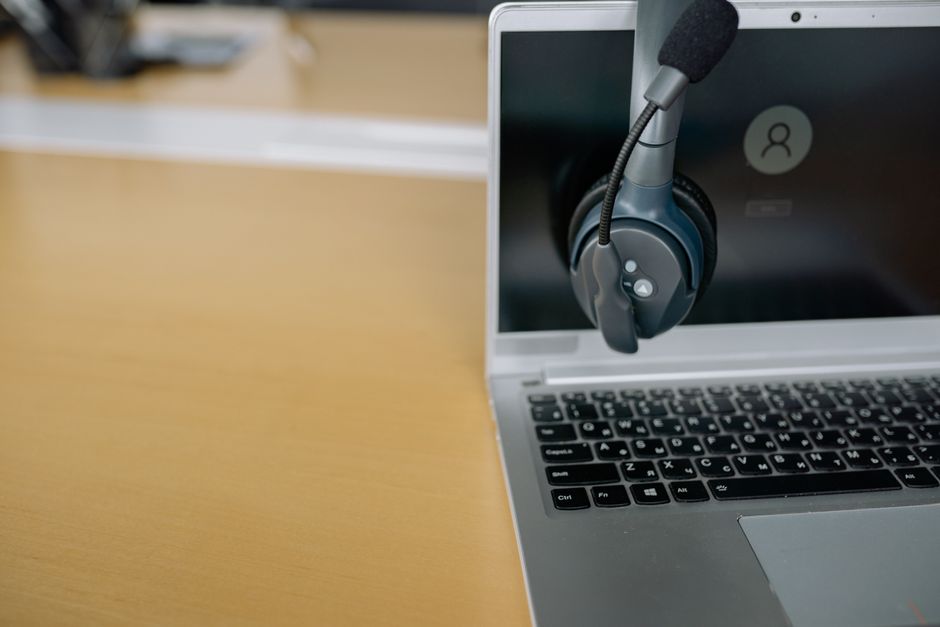
- Headsets: While less ideal for video presence, a good headset with a boom mic (e.g., Jabra Evolve series, Sennheiser SC series) provides excellent noise cancellation and ensures your voice is isolated from background chatter. This is particularly useful in noisy home environments common in bustling cities from São Paulo to Toronto.
- Bluetooth Earbuds: AirPods Pro or Samsung Galaxy Buds Pro can work in a pinch for convenience, but their microphone quality is generally inferior to dedicated USB mics, especially in environments with background noise.
Stable Connection: The Unsung Hero
Lagging video and dropped audio are incredibly disruptive and add significant stress. A stable internet connection is paramount. If possible, use an Ethernet cable directly connecting your computer to your router. If you’re reliant on Wi-Fi, ensure your router is centrally located and that your network isn’t overloaded. Upgrading to a modern router that supports Wi-Fi 6 or even the emerging Wi-Fi 7 standard can significantly improve speeds and reduce latency, especially in homes with many connected devices. Many ISPs across North America and South America are now offering fiber optic connections, which are a boon for remote workers.
Smarter Habits: Rethinking Your Meeting Culture
Technology can only do so much. A significant part of making video calls less draining involves changing how we approach and conduct them.
The Art of the Shorter Call
Does every meeting truly need to be an hour? Or even 30 minutes? Challenge meeting defaults. Advocate for 25-minute or 45-minute calls instead of 30 or 60. This creates natural breaks and reduces the perceived burden. Companies adopting agile methodologies often emphasize short, daily stand-up meetings (15 minutes or less), proving that brevity can be effective.
Schedule Breaks Between Meetings
Back-to-back video calls are a recipe for burnout. Try to build in at least 10-15 minutes between meetings. Use this time to stretch, grab water, look away from the screen, or even just stand up. This micro-break allows your brain to reset and reduces cognitive fatigue.
Turn Off Your Self-View
This is a subtle but powerful change. Constantly seeing yourself on screen activates a level of self-awareness that is absent in face-to-face meetings. It’s like having a mirror in front of you all day. Turning off your self-view allows you to focus solely on the other participants, reducing performance anxiety and cognitive load. Most video conferencing platforms like Zoom, Microsoft Teams, and Google Meet offer this option.
Practice Strategic Camera Usage
While generally keeping your camera on is good for engagement, it’s okay to turn it off for a few minutes if you need to walk away, stretch, or simply have a moment of visual respite during a longer session. Communicate this to your team if it’s a common practice. Encourage a culture where it’s acceptable for participants to briefly turn off their cameras without feeling guilty, especially during less interactive portions of a meeting.
Optimize Your Ergonomics
Sitting hunched over a laptop for hours is physically draining. Use an external monitor to raise your screen to eye level. Invest in a comfortable office chair and consider a standing desk. These physical comforts contribute significantly to your mental well-being during long stretches of virtual work. Many businesses in financial hubs like London and New York offer ergonomic stipends to their remote staff for this very reason.
Gamsgo Makes Streaming Subscriptions Simple and Budget-Friendly
FAQ – Making Video Calls Less Draining
How can I reduce ‘Zoom fatigue’ effectively?
Reducing ‘Zoom fatigue’ involves a multi-pronged approach: optimize your physical setup with good lighting and external peripherals, enforce shorter meetings with scheduled breaks, and crucially, turn off your self-view to reduce constant self-monitoring. These actions combined significantly lessen the cognitive and emotional load of virtual interactions.
Are Apple devices better for video calls than Samsung devices?
Both Apple (e.g., MacBook, iPhone) and Samsung (e.g., Galaxy Book, Galaxy S) offer capable devices for video calls. Apple often has a reputation for strong camera optimization and consistent performance, while Samsung provides excellent screen quality and competitive camera hardware. The choice often comes down to personal ecosystem preference and specific model features rather than a clear ‘better’ overall.
What internet speed do I need for smooth video calls?
For smooth video calls, a stable upload speed of at least 3-5 Mbps and a download speed of 10-25 Mbps per user is generally recommended. Higher speeds are beneficial, especially if multiple people are on video calls simultaneously or other heavy internet usage is occurring. Fiber optic connections common in urban centers throughout Europe and North America offer more than sufficient bandwidth.
Will Wi-Fi 7 improve my video call experience?
Wi-Fi 7, the latest generation of Wi-Fi, will improve video calls by offering significantly higher speeds, lower latency, and better capacity to handle multiple devices simultaneously. While not yet widespread, upgrading to Wi-Fi 7 hardware when available will provide a more stable and efficient connection, reducing lag and dropouts, particularly in busy network environments.
Is an external webcam really necessary for better video calls?
While not strictly necessary, an external webcam is highly recommended for better video calls. It generally offers superior image quality, better low-light performance, and the flexibility to position the camera at eye level, which improves eye contact and reduces strain on participants, making your presence more professional and less tiring to view.
How can I prevent back-to-back video meetings?
To prevent back-to-back video meetings, be proactive in scheduling. Block out buffer time (e.g., 10-15 minutes) between potential meetings in your calendar. Communicate with colleagues and suggest starting meetings at 5 or 10 minutes past the hour. This small adjustment provides essential mental and physical breaks throughout your workday.
Key Takeaways for Sustainable Remote Work
Navigating the world of remote work effectively hinges on understanding and mitigating its unique challenges. To make video calls feel less draining, it’s not about finding a single magic bullet, but rather implementing a combination of thoughtful technical adjustments and mindful behavioral changes. Prioritize your technical setup: investing in good lighting, an external webcam, and a dedicated microphone fundamentally improves the quality of your participation, reducing the cognitive load on everyone involved.
Equally important are your meeting habits and personal ergonomics. Challenging default meeting lengths, building in breaks, and turning off your self-view are simple yet powerful ways to reduce fatigue. Think of it as a holistic approach to your digital well-being. By taking control of your environment and your schedule, you can transform video calls from an energy drain into a more manageable, even productive, part of your professional life.
For more practical technology guides and insights, read more practical technology guides on Vie En Mots.