

For remote workers, understanding smartwatch data – what to notice and what to ignore – boils down to identifying actionable trends that impact well-being rather than getting bogged down in every minute detail. Prioritize sleep quality (time in deep/REM sleep), daily activity (standing hours, steps, active calories), and heart rate variability (HRV) for stress indicators. Ignore minor daily fluctuations in step counts, one-off elevated heart rates without other symptoms, or precise calorie burn figures that are often estimates. Focus on weekly or monthly patterns to make meaningful lifestyle adjustments for improved health and productivity.
Working from home has its perks: no commute, flexible hours, and maybe even a pajama-friendly dress code. But it also comes with unique challenges. Suddenly, your daily steps plummet, the boundary between work and personal life evaporates, and your stress levels might creep up without you even realizing it. This is where your smartwatch, whether it’s an Apple Watch, a Garmin, or a Fitbit, steps in. These devices are constantly collecting information about your body, offering a tantalizing glimpse into your health.
The problem isn’t a lack of data; it’s often an overabundance. You’re presented with graphs, numbers, and notifications covering everything from heart rate zones to sleep stages, blood oxygen, and even skin temperature. It’s easy to feel overwhelmed, even paralyzed, wondering what all these metrics mean and, more importantly, what you should actually do about them. A common mistake is getting fixated on daily fluctuations rather than looking for actionable trends. Learning what smartwatch data to notice and what to ignore is key to turning those wrist-worn metrics into genuine improvements for your remote work health and beyond.
In essence, to effectively use smartwatch data, remote workers should focus on long-term trends in sleep, activity, and stress markers that indicate systemic issues, rather than chasing perfect daily scores or worrying about minor, transient deviations. Filtering out the noise allows for a clearer picture of your overall well-being and helps identify areas where lifestyle adjustments can make a real difference.

Smartwatch Data: A Quick Overview of What Matters
- Sleep Quality Over Quantity: Focus on deep and REM sleep percentages, not just total hours.
- Activity Trends: Track active minutes, standing hours, and weekly step averages, not just daily numbers.
- Heart Rate Variability (HRV): A key indicator of stress and recovery for deeper insights.
- Resting Heart Rate: Monitor for consistent elevations, which can signal overtraining or illness.
- Stress Scores: Use built-in features (like Garmin’s Body Battery) as a general guide, not an absolute truth.
- Blood Oxygen (SpO2): Primarily useful for monitoring sleep disturbances or during altitude changes.
- Consistency is King: Small, sustained changes in your habits yield better results than sporadic intense efforts.
Deciphering Sleep Data: Quality Beats Total Hours
Understanding Sleep Stages (Deep, REM, Light)
Most smartwatches break down your sleep into stages: light, deep, and REM. While it’s tempting to obsess over hitting certain percentages, the most practical approach is to look for consistency and significant dips. Remote workers, often juggling asynchronous teams across North America and Europe, might have irregular sleep patterns. If your deep sleep consistently drops below, say, 15% of your total sleep, or your REM sleep is consistently low, that’s a signal to investigate. Consider if you’re getting enough wind-down time before bed, reducing screen exposure (especially from that laptop you’re still working on at 10 PM), or managing your caffeine intake.
What to Ignore in Sleep Data
Don’t fret over a single night’s poor sleep percentage. Life happens. A late-night video call with a client in Santiago, Chile, or a particularly engaging movie can throw off one night. The real value is in identifying patterns over weeks. If your watch tells you you woke up 15 times, but you felt rested, it might just be the algorithm misinterpreting a shift in sleep stage. Trust how you feel more than microscopic, daily sleep stage fluctuations.
Activity Metrics: Beyond Just 10,000 Steps
Focus on Active Minutes and Standing Hours
While 10,000 steps is a widely recognized goal, it’s not the only metric for health. For remote workers, active minutes and standing hours are often more practical. Many smartwatches, including Apple Watch and Fitbit, prompt you to stand for a minute every hour. Aiming to hit at least 12 standing hours a day can significantly combat the sedentary nature of desk work. Furthermore, hitting 30-60 minutes of intentional exercise most days is far more impactful than just accumulating steps passively.
Greenworks Tools Powers Smarter Outdoor and Garden Care
When to Disregard Step Counts
A day where you only hit 4,000 steps isn’t a failure if you also did a vigorous 45-minute workout. Context matters. Similarly, if your watch calculates 12,000 steps from pushing a grocery cart around a supermarket in Lyon, France, those aren’t all necessarily quality steps. Focus on the effort and intentional movement, not just the raw step count, which can sometimes be inflated by arm movements.
Heart Rate: Resting, Variability, and Zones
Resting Heart Rate (RHR) and Heart Rate Variability (HRV)
Your RHR is a powerful indicator of cardiovascular health and recovery. A consistent uptick in your RHR could signal impending illness, overtraining, or increased stress. HRV, available on many advanced smartwatches like Garmin and Whoop, measures the variation in time between heartbeats. A higher HRV generally indicates better recovery and adaptability, while a consistently low HRV can be a sign of stress, fatigue, or illness. This is particularly valuable for remote workers dealing with deadlines and blurred work-life boundaries. Many apps will give you a daily HRV status or recovery score (like Whoop’s recovery metric) which helps contextualize the data.
Navigating Heart Rate Zones During Exercise
For exercise, heart rate zones are useful for targeted training. Whether you’re doing HIIT or a steady-state run, knowing if you’re in Zone 2 for endurance or Zone 4 for anaerobic work helps structure your workouts effectively. However, during normal daily activities, occasional spikes in heart rate (e.g., when you suddenly remember you forgot to encrypt your Google Drive or update your password managers) are usually harmless. Don’t panic over a brief jump unless it’s accompanied by other concerning symptoms.
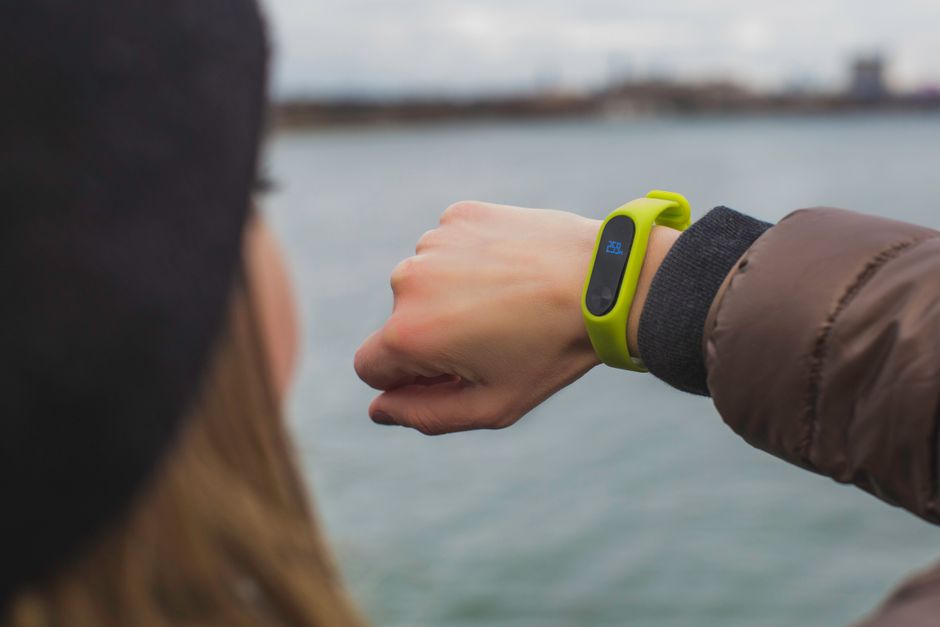
Stress and Recovery Metrics: A Holistic View
The Practicality of Stress Scores and Body Battery
Brands like Garmin offer ‘Stress Score’ and ‘Body Battery’ features, which are fantastic tools for remote workers. These algorithms combine HRV data with activity and sleep to give you a generalized energy level. A low Body Battery by mid-afternoon signals it’s time for a break, a walk, or to finish up for the day. These are excellent prompts to prevent burnout, a common pitfall when your office is also your home. If your stress score is consistently high even on ‘rest’ days, it’s a clear signal to re-evaluate your work habits, boundaries, or even consider a digital detox weekend.
What to Overlook in Stress Data
Don’t let a single ‘high stress’ reading dictate your entire day. Stress is a natural response. What matters are the prolonged patterns. If your watch says you’re stressed for 30 minutes while you’re focused on a complex coding task for a project in São Paulo, Brazil, that’s normal and often productive stress. The concern arises when your stress levels remain elevated during periods that should be relaxing, like evenings or weekends.
Other Metrics: SpO2, Skin Temp, and More
When Blood Oxygen (SpO2) Matters
Blood oxygen saturation (SpO2) is useful for monitoring potential sleep apnea or conditions affecting respiratory function. Many smartwatches offer overnight SpO2 tracking. If you notice consistent dips below 95% during sleep, especially if accompanied by daytime fatigue or snoring, it’s worth discussing with a doctor. For most healthy individuals, daily SpO2 readings are generally stable and don’t require constant monitoring.
Skin Temperature, Respiratory Rate, and Noise Exposure
Some newer smartwatches track skin temperature (e.g., Apple Watch Series 8/9). This can offer insights into menstrual cycle tracking or early signs of illness, as slight elevations can precede fever. Respiratory rate, similarly, can indicate stress or illness when consistently elevated. Noise exposure alerts are helpful in louder environments, protecting hearing, but often less relevant for the average remote worker in a quiet home office, unless you live near a bustling street or construction zone.
Gamsgo Makes Streaming Subscriptions Simple and Budget-Friendly
FAQ: Smartwatch Data for Remote Workers
How accurate is smartwatch data for health tracking?
Smartwatch data is generally good for tracking trends and providing motivational insights, but it’s not medical-grade. Heart rate and activity tracking are quite accurate for most users, but metrics like calorie burn, sleep stages, and blood oxygen can have a wider margin of error. Always consult a healthcare professional for diagnosis or treatment.
Can smartwatch data help prevent burnout for remote workers?
Yes, by providing objective data on stress and recovery. Monitoring consistent low HRV, high resting heart rate, or persistently low ‘Body Battery’ scores can indicate chronic stress or insufficient recovery. This data can act as an early warning system, prompting you to take breaks, adjust your schedule, or prioritize relaxation to prevent burnout.
Should I use my smartwatch for every single health metric it offers?
No, focusing on a few key metrics relevant to your personal health goals is more effective. Over-monitoring can lead to ‘data fatigue’ and anxiety. For remote workers, prioritize sleep quality, activity levels (active minutes, standing), and heart rate variability to make the data actionable without feeling overwhelmed.
What’s the best smartwatch for a remote worker focused on health?
The ‘best’ depends on your ecosystem and specific needs. Apple Watch excels for iPhone users, offering solid integration and app support. Garmin watches are known for their advanced fitness tracking and excellent battery life, ideal for those wanting detailed HRV and recovery metrics. Fitbit is strong for general health, sleep tracking, and user-friendly interfaces. All offer features useful for monitoring remote work health.
How can I make smartwatch data more actionable without changing my entire remote work routine?
Start small. If your watch consistently shows low deep sleep, try dimming lights an hour before bed. If standing hours are low, set hourly alarms for a quick stretch. Use HRV data to decide if a longer lunch walk is needed. These micro-changes, informed by your data, are sustainable and impactful without a complete overhaul.
Key Takeaways: Smartwatch Data for a Healthier Remote Life
Navigating the sea of smartwatch data doesn’t have to be overwhelming. For remote workers, the goal isn’t perfection, but rather actionable insights that support well-being. By understanding what smartwatch data to notice and what to ignore, you can improve your device from a mere gadget into a powerful tool for personal health management.
Prioritize metrics like your consistent sleep quality (especially deep and REM sleep), overall activity trends (active minutes, standing hours), and your heart rate variability (HRV). These are the signals that truly reflect your body’s stress, recovery, and energy levels. Dismiss the minor daily fluctuations that don’t represent a consistent trend, and don’t get hung up on precise, often estimated, figures like exact calorie burn.
Ultimately, your smartwatch is a mirror, reflecting your habits. Use its data to gently nudge yourself towards healthier routines, better boundaries between work and life, and a more balanced existence. Whether you’re working from a home office in Vancouver, Canada, or a co-working space in Berlin, Germany, smart data utilization can empower you to thrive.
Read more practical technology guides on Vie En Mots.