

To effectively prepare devices before international travel, the most critical steps involve securing your data through comprehensive backups, understanding international data plans or local SIM card options, enabling robust security measures like passkeys and two-factor authentication, and ensuring physical protection for all electronics. These precautions prevent data loss, minimize roaming charges, safeguard personal information, and keep your devices functional, whether you’re navigating the cobbled streets of Europe or exploring the Amazon rainforest in South America.
That moment of panic when you’re thousands of miles from home, trying to navigate a new city, and your phone dies – or worse, you realize your precious travel photos are gone. For families, this scenario isn’t just an inconvenience; it can be a genuine disruption to what should be a memorable experience. We’ve all been there: staring at an ‘Emergency Calls Only’ message in a foreign land, wondering if your data plan is secretly bankrupting you, or realizing you forgot to download the map.
Preparing your devices isn’t just about packing them; it’s about making sure they’re resilient, secure, and ready to connect you without costing a fortune or causing undue stress. From ensuring your kids’ tablets have enough offline content to keeping your own work emails accessible, a little foresight goes a long way. The goal here is simple: stress-free connectivity and peace of mind, so you can focus on making memories, not troubleshooting tech issues.
Your Pre-Travel Tech Checklist: A Quick Overview
Before you even think about packing that adapter, run through this quick list. It’s a bird’s-eye view of what we’ll dive into in more detail:
- Data Backup: Every photo, every document, safely stored off-device.
- Roaming & Connectivity: Know your data options before you land.
- Security & Privacy: Protect your digital life from prying eyes.
- Power & Adapters: Keep everything charged and compatible.
- Physical Protection: Guard against drops, spills, and theft.
- Offline Prep: Download what you need to reduce data reliance.
- Digital Declutter: Free up space and simplify your tech load.
The Golden Rule: Back Up Everything, Twice
This isn’t just a suggestion; it’s an absolute necessity when you prepare devices before international travel. Imagine losing your phone with all your vacation photos, travel documents, and contacts. It happens. A proper backup ensures that even if a device is lost, stolen, or damaged, your digital life remains intact.
Cloud Backups: The Easiest Option
For most people, cloud services are the simplest way to go. Google Photos, Apple iCloud, Dropbox, or Microsoft OneDrive are all excellent choices. Make sure your photos and videos are set to automatically upload. Before you leave, manually trigger a full backup of your phone or tablet. For instance, if you use an iPhone, go to Settings > [Your Name] > iCloud > iCloud Backup and tap ‘Back Up Now.’ For Android, check your Google Drive backup settings under System > Backup.
Physical Backups: An Extra Layer of Security
While convenient, cloud services depend on an internet connection. For critical data, consider a physical backup. Copy essential documents (passport scans, insurance info, booking confirmations) to a USB drive or an external hard drive. Better yet, upload them to a secure, encrypted cloud folder separate from your main photo backup. This way, you have multiple recovery points, crucial when you’re far from home.
Staying Connected Abroad: Data, Wi-Fi, and Offline Maps
One of the biggest anxieties for international travelers is how to stay connected without racking up exorbitant bills. Understanding your options is key.
International Roaming Plans vs. Local SIMs vs. eSIMs
Roaming Plans: Contact your provider (e.g., AT&T, Verizon, Vodafone) to understand their international roaming packages. Some offer daily passes for a flat fee (e.g., $10-$15/day for unlimited data in many European countries), while others have monthly bundles. Be extremely cautious with pay-as-you-go roaming, as data costs can quickly escalate. We’ve heard horror stories of four-figure phone bills after a week in South America simply from checking email.
Local SIM Cards: In many countries, particularly in Europe, buying a local prepaid SIM card is often the most cost-effective solution. You get a local number and data at local rates. You’ll need an unlocked phone for this to work. For example, grabbing a SIM from Orange or Vodafone upon arrival in France is typically straightforward and affordable.
eSIMs: A newer, more convenient option, eSIMs are digital SIM cards. Services like Airalo or Holafly allow you to purchase data plans for specific countries or regions (e.g., a Europe-wide plan) before you even leave home. You scan a QR code, and your phone has a data connection. This means no physical swapping of SIM cards, which is great if your phone only has one physical slot. Most newer phones, including recent iPhones and many Android flagships, support eSIMs.
Gamsgo Makes Streaming Subscriptions Simple and Budget-Friendly
Leveraging Wi-Fi: Public, Private, and Wi-Fi 7
Wi-Fi will be your best friend. Rely on hotel Wi-Fi, cafes, and public hotspots. However, be wary of open, unsecured networks for sensitive tasks like online banking. For general browsing and messaging, they’re fine. The new Wi-Fi 7 standard, while not universally available yet, promises faster speeds and lower latency, which will eventually improve connectivity in dense public areas. While you likely won’t see Wi-Fi 7 widely deployed in hotels or airports this year, knowing about it means you’re prepared for future travel tech advancements. Always use a VPN when on public Wi-Fi to encrypt your traffic.
Offline Maps and Content
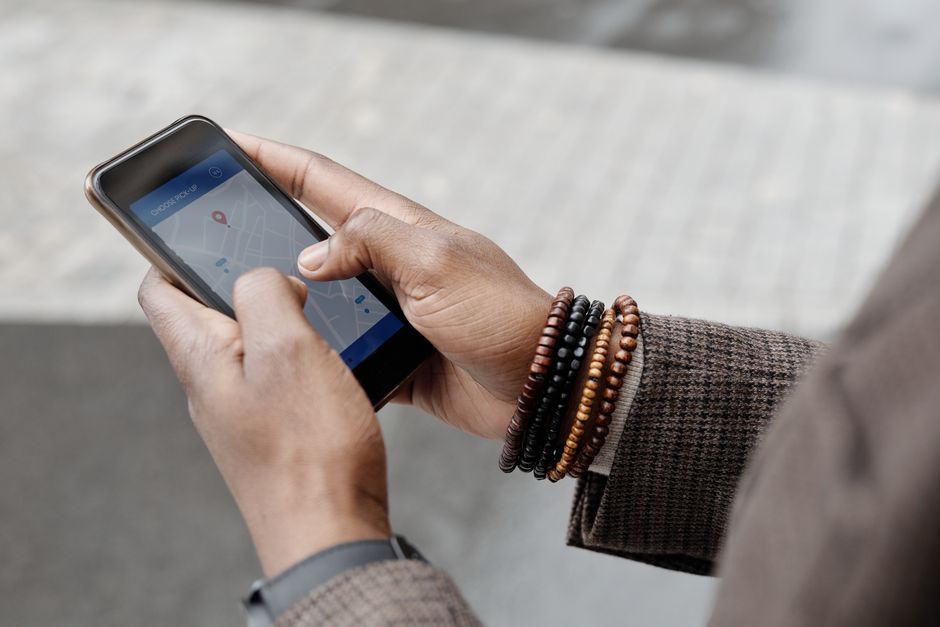
Before you leave, download offline maps for your destinations using Google Maps or Apple Maps. This means you can still navigate even without a data connection. Download movies, TV shows, audiobooks, and podcasts from Netflix, Spotify, or Apple Music for airplane mode entertainment. This is especially vital for kids’ devices on long journeys.
Fortifying Your Digital Defenses: Security & Privacy
Traveling exposes your devices to new risks. Public Wi-Fi, potential theft, and even just casual glances over your shoulder demand heightened security.
Strong Passwords and Passkeys
This is non-negotiable. Every device and every critical account (email, banking, social media) needs a strong, unique password. Better yet, embrace passkeys. Passkeys are a more secure, phishing-resistant alternative to traditional passwords, using biometrics (like fingerprint or face ID) or a simple PIN on your device. Major players like Microsoft, Google, and Apple are supporting them, and they’re rapidly becoming the standard. When available, use passkeys instead of passwords for login. It’s faster and significantly more secure, especially when you’re connecting from unfamiliar networks.
Two-Factor Authentication (2FA)
Enable 2FA on every account that offers it. This adds an extra layer of security, requiring a second verification method (like a code from an authenticator app or an SMS) in addition to your password. While SMS codes can be tricky if you change SIM cards, authenticator apps like Google Authenticator or Authy work offline.
Device Locks and Find My Features
Ensure all your devices have strong PINs, patterns, or biometric locks enabled. Familiarize yourself with ‘Find My iPhone’ or ‘Find My Device’ for Android. These features can help you locate a lost device, remotely lock it, or even wipe it clean if it’s unrecoverable. Practice using them before you go.
Powering Up: Adapters, Converters, and Portable Chargers
The global power grid is a wild west of different plugs and voltages. Being unprepared means dead devices.
Universal Adapters: The Essential Tool
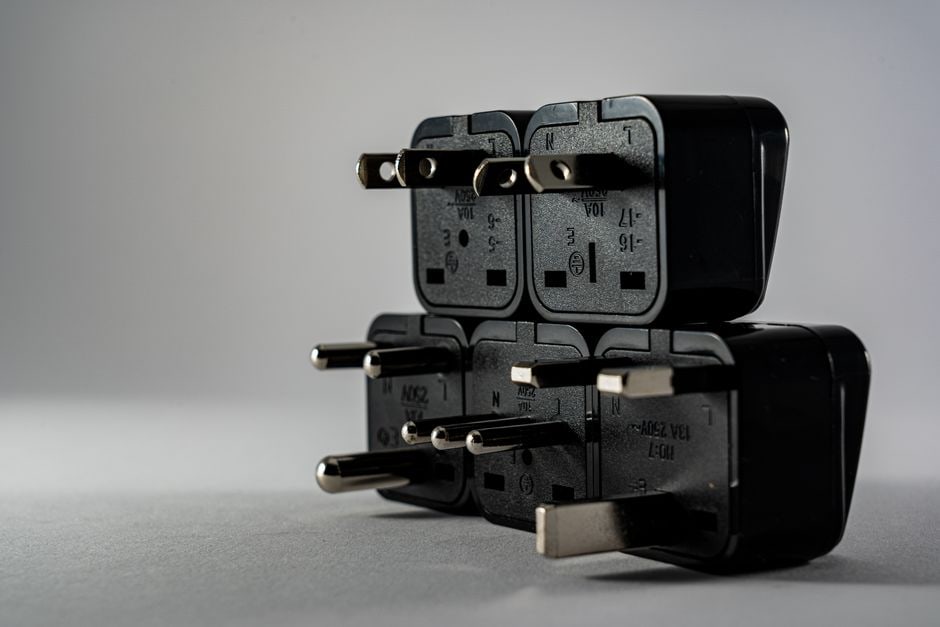
A universal travel adapter is probably the single most important non-device tech item you’ll pack. Look for one that covers the main types: Type A/B (North America), Type C/E/F (Europe), Type G (UK), and Type I (Australia/New Zealand). A good adapter will have multiple USB ports, allowing you to charge several devices simultaneously. For a family traveling to Europe, for example, a handful of Type C/F adapters will be essential for everyone’s phones and tablets.
Voltage Converters: When You Need Them (Rarely)
Most modern electronics (phones, laptops, tablets, camera chargers) are dual-voltage (100-240V, 50/60Hz) and only require a plug adapter. Check the fine print on your device’s charger. If it says ‘Input: 100-240V,’ you’re good. If you’re bringing older hair dryers, curling irons, or certain medical devices, you might need a voltage converter, which steps down (or up) the voltage. Using a device not rated for local voltage with just an adapter can damage the device or trip circuits.
Portable Power Banks: Your Lifeline
A high-capacity power bank (20,000mAh or more) is invaluable. It can recharge a smartphone multiple times, keeping your navigation, communication, and entertainment going during long days out, flights, or when power outlets are scarce. Ensure it’s fully charged before you leave and bring the necessary charging cables for all your devices.
Enjoy Fresh Coffee Anywhere With Outin Portable Innovation
Physical Protection: Safeguarding Your Tech
International travel often means more exposure to elements, crowds, and potential mishaps. Protecting your devices physically is just as important as securing your data.
Cases and Screen Protectors
Invest in sturdy cases and tempered glass screen protectors for phones and tablets. A moment of clumsiness on a cobblestone street in Rome or a bumpy ride through the Andes can turn a minor drop into a major repair bill.
Water Resistance and Bags
If you’re heading to the beach or anywhere with potential rain (hello, Pacific Northwest or parts of South America during rainy season), consider waterproof pouches for phones or water-resistant bags for laptops and cameras. Even a splash can be disastrous for electronics.
Theft Prevention
Keep devices out of sight in public. Use lockable compartments in your backpack, and never leave devices unattended. Be particularly vigilant in crowded tourist areas or on public transport. In many parts of Europe, pickpocketing is a known issue, and thieves are adept at spotting easy targets.
FAQ: Answering Your Burning Tech Travel Questions
Should I use a VPN when traveling internationally?
Yes, absolutely. A Virtual Private Network (VPN) encrypts your internet connection, protecting your data from potential eavesdroppers, especially when using public Wi-Fi networks in hotels, airports, or cafes. It also helps bypass geo-restrictions on certain content or services, ensuring access to your usual streaming platforms or banking apps.
What’s the best way to keep kids’ devices charged on long flights?
For long flights, a fully charged high-capacity power bank is essential. Ensure it has enough juice to recharge their tablets or gaming devices multiple times. Also, pre-load devices with plenty of offline games, movies, and shows to minimize reliance on in-flight Wi-Fi, which can be spotty and expensive.
Is it safe to use my credit card on foreign public Wi-Fi?
Using your credit card directly on unsecure public Wi-Fi without a VPN is risky. Your data could be intercepted. If you must make a purchase, use a reputable website with HTTPS encryption (look for the padlock symbol) and, ideally, connect via a trusted VPN. Otherwise, wait until you have a secure connection, like your hotel’s private Wi-Fi or your mobile data.
What should I do if my phone gets stolen abroad?
Immediately activate your ‘Find My’ feature (Apple) or ‘Find My Device’ (Android) to track or remotely wipe the phone. Report the theft to local police for an official report (necessary for insurance claims) and then contact your service provider to suspend your SIM card. Change critical passwords from a secure device.
Can I use my North American hair dryer in Europe with just an adapter?
Probably not safely. Most North American hair dryers operate on 110-120V, while Europe uses 220-240V. Plugging a 110V device into a 220V outlet with only a plug adapter can damage the appliance or trip the circuit. You’ll need a voltage converter, or it’s often simpler to buy a travel-specific dual-voltage hair dryer.
Key Takeaways for Stress-Free Travel Tech
Preparing your devices before international travel doesn’t have to be overwhelming. It’s about a few key, proactive steps that will save you headaches, money, and potential heartbreak. Remember to **back up all your precious photos and documents** to the cloud and ideally a physical drive, giving you peace of mind no matter what happens to your gadgets.
Thoughtfully consider your **connectivity options** – whether that’s an international roaming plan, a local SIM card, or the convenience of an eSIM. This decision alone can significantly impact your budget and your ability to navigate. Always prioritize **digital security**, employing strong passkeys and two-factor authentication, especially on your most sensitive accounts.
Finally, don’t underestimate the importance of **physical protection and power management**. A sturdy case, a universal adapter, and a reliable power bank are your best friends for keeping devices safe and charged throughout your adventures. By taking these practical steps, you’ll be well-prepared to capture memories, stay connected, and enjoy every moment of your family’s international journey without tech worries.
Ready for more practical technology guides? Read more practical technology guides on Vie En Mots.