

Finding excellent local co-op games for small living rooms and shared screens is entirely achievable with the right titles and console. Games designed for shared screen play minimize the need for extensive physical space, allowing multiple players to gather comfortably around a single television. Many Nintendo Switch titles, for example, excel in this area due to the console’s portable nature and built-in controllers. Even PlayStation and Xbox offer a robust selection, often including titles on services like Game Pass. The key is to select games with clear visual cues and straightforward mechanics that prevent player confusion on a smaller display, ensuring everyone can participate and enjoy the experience without feeling cramped.
There’s a unique magic to gathering friends or family around a single screen, especially when space is at a premium. Forget the sprawling multi-monitor setups or the solitude of online gaming; we’re talking about that classic, shoulder-to-shoulder experience that sparks genuine laughter, friendly shouts, and unforgettable moments. This isn’t just nostalgia; it’s a practical way to connect in a world often dominated by digital distance.
Whether you’re in a cozy apartment in Paris, a compact flat in São Paulo, or a snug city home in New York, the joy of local co-op games for small living rooms and shared screens is accessible to everyone. The challenge often isn’t finding games, but finding the right games – those that truly shine when played side-by-side without requiring everyone to have their own large slice of real estate.
This guide cuts through the noise to help you discover titles that maximize fun and minimize fuss, perfect for intimate gaming sessions. We’ll explore options across various platforms, considering visual clarity, ease of setup, and the sheer entertainment factor that makes a shared-screen experience truly special.
The Enduring Appeal of Shared-Screen Gaming
In an era where online multiplayer dominates, the appeal of local co-op endures, especially for those seeking immediate, tangible interaction. It fosters a different kind of camaraderie, allowing players to react to each other’s expressions, celebrate victories in person, and even blame each other face-to-face for epic fails. This direct interaction is invaluable, offering a social experience that online play, for all its convenience, struggles to replicate.
For small living rooms, local co-op inherently solves several logistical issues. It negates the need for multiple consoles, televisions, or even extensive internet bandwidth. A single console, a few controllers, and a TV are often all you need. This simplicity makes it an ideal choice for impromptu game nights, family gatherings, or just a casual evening with a couple of friends.
Furthermore, local co-op games are often designed with simpler interfaces or split-screen mechanics that are optimized for close-quarters viewing. Developers understand that players are sharing a physical space, leading to game designs that prioritize immediate action and clear objectives over complex, sprawling UIs that can get lost on a smaller portion of the screen.
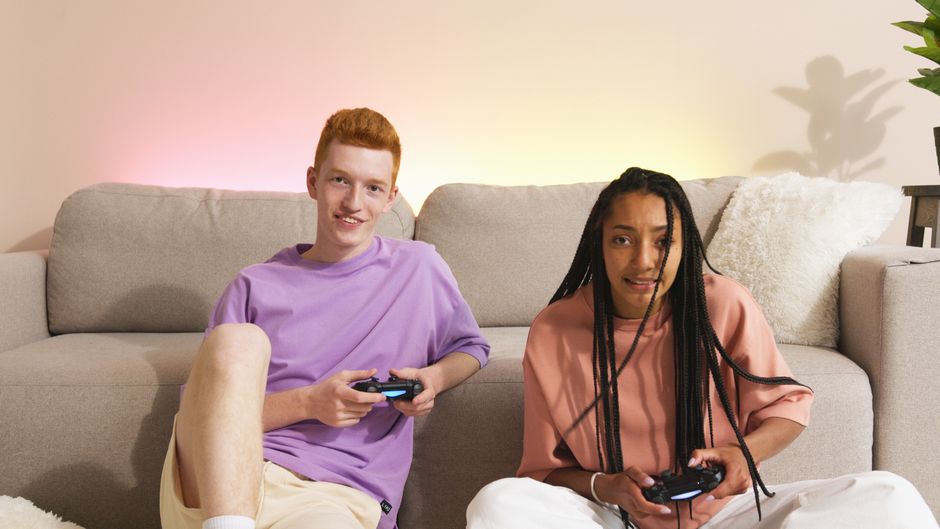
Choosing the Right Local Co-Op Games for Small Living Rooms
When you’re working with limited space, selecting the right game is crucial. Here are some pointers and specific examples that thrive in a shared-screen environment:
1. Prioritize Single-Screen Co-Op (Non-Split Screen)
Games where all players share the exact same screen are often ideal for small spaces. There’s no split to squint at, and everyone sees the full picture. This reduces visual clutter and makes it easier for players to follow the action without straining.
How to Find Indie Games With Strong Writing and Atmosphere: A Deep Dive
- Examples: Overcooked! 2 (and its sequel, Overcooked! All You Can Eat) is the quintessential example. Players scramble around a single kitchen, cooperating (or comically failing) to prepare meals. Moving Out offers similar chaotic fun, requiring players to pack and move furniture. These games are a riot and don’t require much individual screen real estate.
2. Embrace Clear Visuals and Distinct Characters
If split-screen is unavoidable, look for games with very distinct character models, clear UI elements, and vibrant, easily distinguishable environments. Muted colors or similar-looking characters can lead to confusion when a quarter of the screen is all you have to work with.
- Examples: Mario Kart 8 Deluxe on Nintendo Switch is a classic for a reason. Its bright visuals and iconic characters make it easy to track your racer even in four-player split-screen. Similarly, many fighting games like Super Smash Bros. Ultimate work well because each character has a unique silhouette and moveset, making them easy to spot.
3. Consider Turn-Based or Asymmetrical Play
Turn-based games naturally circumvent screen division issues as only one player is typically acting at a time. Asymmetrical games, where players have different objectives or views, can also be clever solutions.
- Examples: While less common in pure action co-op, party games like Jackbox Games collections are perfect. Players use their phones as controllers, and the main screen is just for display, making it incredibly flexible for any living room size.
4. Opt for Games with Simple, Intuitive Controls
When multiple people are gathered, and potentially less experienced gamers are involved, complex control schemes can be a barrier. Games with straightforward mechanics ensure everyone can jump in quickly.
- Examples: Cuphead, despite its difficulty, has very simple controls (move, jump, shoot, dash). Its clear action makes it playable in co-op. Pikmin 3 Deluxe also offers a streamlined co-op experience where coordinating simple actions leads to satisfying teamwork.
5. Leverage Console Strengths: The Nintendo Switch Advantage
The Nintendo Switch is a standout for local co-op due to its portability and integrated Joy-Con controllers, which can often be detached and used as individual controllers. This means you often have two controllers right out of the box, reducing the immediate need for extra purchases.
- Examples: Beyond Mario Kart and Smash Bros., titles like Luigi’s Mansion 3 (ScareScraper mode and some story co-op), New Super Mario Bros. U Deluxe, and Snipperclips are fantastic local co-op experiences on the Switch, perfectly suited for sharing a screen in a small space.
6. Explore PlayStation and Xbox Offerings, Including Game Pass
While the Switch might seem like the obvious choice, PlayStation and Xbox also boast excellent local co-op libraries. Services like Xbox Game Pass often include a rotating selection of titles that support local multiplayer, providing great value.
- Examples: It Takes Two (often on Game Pass) is a phenomenal co-op adventure, though it’s split-screen. Its unique mechanics and narrative make it worthwhile. Borderlands series, Call of Duty Zombies, and many indie titles like Unrailed! are also available and provide solid local co-op options. Even a behemoth like Fortnite offers split-screen co-op on consoles, allowing two players to share the same battle royale experience, though it can be a bit busy on a smaller screen.
Comparing Popular Local Co-Op Gaming Options
Here’s a quick comparison of popular platforms and services for your local co-op needs:
| Platform/Service | Pros for Local Co-Op | Cons for Local Co-Op | Ideal Use Case |
|---|---|---|---|
| Nintendo Switch | Built-in Joy-Cons, excellent single-screen options, portable, family-friendly library. | Often requires additional Joy-Cons for 3-4 players, smaller screen in handheld mode. | Families, casual gamers, portability, tight spaces. |
| PlayStation/Xbox | Powerful hardware, large game libraries, Game Pass value, many solid split-screen options. | Controllers can be expensive, primarily console-tied (less portable), many games require significant screen real estate. | Action-oriented co-op, larger game selection, competitive split-screen. |
| PC (via Steam Big Picture) | Vast library, can connect multiple controllers, flexible for monitor/TV use, many indie co-op gems. | Can be more complex to set up, requires a good HTPC or gaming rig, controller compatibility varies. | Tech-savvy users, specific indie titles, budget-conscious (if you already have a PC). |
| Jackbox Games (cross-platform) | Requires only one main screen, players use phones as controllers, incredibly accessible for any group size. | Not ‘gaming’ in the traditional sense (party games), requires internet for initial download/launch. | Large groups, non-gamers, quick party fun, minimal setup. |
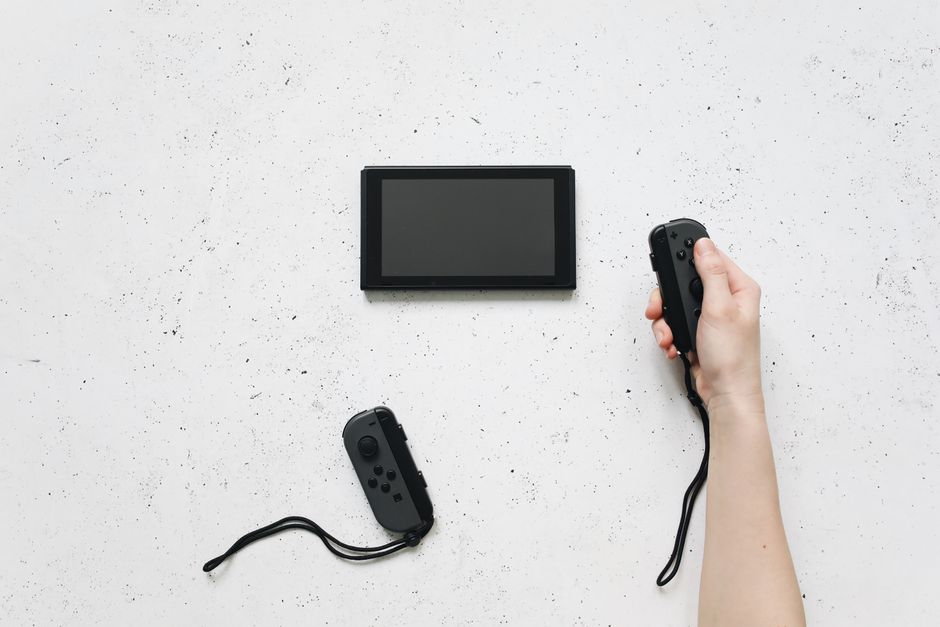
Common Mistakes to Avoid When Setting Up for Local Co-Op in Small Spaces
Even with the right game, some missteps can turn a fun night into a frustrating one. Avoiding these common issues will significantly improve your experience.
Overestimating Screen Size
A common pitfall is assuming any game will look great on a smaller television, especially when split four ways. Games with tiny HUD elements, detailed distant environments, or a camera that pulls very far back can become illegible. Always consider how much information is being displayed and if it will be clear to everyone, especially those further from the screen or sitting at an angle.
Insufficient Controllers
It sounds obvious, but many people forget to check if they actually have enough controllers for everyone. While the Nintendo Switch comes with two Joy-Cons, three or four players will necessitate extra purchases. PlayStation and Xbox controllers are not cheap, so plan ahead or limit your player count to what you can comfortably equip.
Finding Your Zen: Strategy Games for People Who Like Planning More Than Combat
Ignoring Seating Arrangements
In a small living room, how you arrange yourselves around the screen matters immensely. Try to keep everyone relatively central to the display to minimize viewing angles issues. Pillows on the floor, small stools, or even rotating a coffee table can make a big difference in comfort and visibility for all players.
Forgetting the Sound Experience
Shared-screen gaming is often accompanied by shared audio. Ensure your speaker setup is clear enough for everyone to hear dialogue, sound effects, and music without being too loud or distorted. Good audio adds significantly to the immersive quality of the game and can help in understanding cues.
Picking the Wrong Game for the Group
The ‘best’ game is subjective. While Overcooked! is fantastic, it can be incredibly stressful and might not suit a very casual or easily frustrated group. Similarly, complex RPGs with co-op elements might alienate non-gamers. Gauge your audience and select a game that matches their skill level and preferred pace for maximum enjoyment.
Frequently Asked Questions About Local Co-Op Gaming
Can I play local co-op games on Xbox Game Pass?
Yes, Xbox Game Pass frequently includes local co-op titles. The library rotates, so specific games vary, but you can use the ‘Features’ filter within the Game Pass app or store to search specifically for ‘Local Co-op’ or ‘Shared/Split Screen’ games. Examples often include indie darlings and sometimes even larger titles.
Is Fortnite good for local co-op in a small living room?
Fortnite does offer split-screen local co-op on consoles, allowing two players to team up. However, for a small living room, the split screen can be quite busy and small, making it harder to track enemies and loot, especially on smaller TVs. It’s playable, but it might not be the most comfortable experience compared to games designed primarily for single-screen co-op.
What makes Nintendo Switch ideal for local co-op games?
The Nintendo Switch is ideal because its Joy-Con controllers can be detached and used as individual controllers, meaning two players can often play right out of the box. Its extensive library includes many games designed specifically for shared-screen experiences, like Mario Kart and Overcooked, making it very accessible for quick, intimate gaming sessions.
Are there local co-op games that don’t require internet?
Absolutely! The vast majority of dedicated local co-op games do not require an internet connection once they are installed. This makes them perfect for areas with spotty Wi-Fi or for gaming on the go. Titles like Minecraft Dungeons, Cuphead, and the Mario series are fantastic offline local co-op options.
How many controllers do I need for four-player local co-op?
For four-player local co-op, you generally need four individual controllers. While the Nintendo Switch comes with two Joy-Cons that can act as two separate controllers, you’d still need an additional pair or two Pro Controllers for four players. PlayStation and Xbox consoles require you to purchase all controllers separately beyond the one included with the console.
Can I play older console games with local co-op on modern systems?
Some modern consoles offer backward compatibility or virtual console services that allow you to play older titles, many of which had excellent local co-op. For instance, the Xbox Series X/S has solid backward compatibility. The Nintendo Switch Online service includes many classic NES and SNES games that support local multiplayer, bringing beloved retro co-op experiences to modern screens.
Bringing People Together, One Screen at a Time
Local co-op games for small living rooms and shared screens are more than just entertainment; they’re a catalyst for connection. Whether you’re navigating chaotic kitchens, racing go-karts, or battling fantastical creatures, the shared experience transforms a simple evening into a memorable event. From Europe to North America and South America, the universal joy of shared play remains a powerful way to bond. Don’t let a compact space deter you; with the right games and a little planning, your living room can become the ultimate hub for collaborative fun. Find more smart gaming guides on Vie En Mots.