

You’ve decided you need a tablet. Not just any tablet, though. You’re looking for a versatile companion that can handle your digital library, keep up with your spontaneous brilliant ideas through note-taking, and survive the rigors of travel, whether that’s a quick trip across the border in North America or an extended backpacking adventure through Europe. The sheer number of options, from sleek iPads to diverse Android tablets, can make the selection process feel like a maze, leaving you unsure where to even begin.
It’s a common dilemma: weighing the benefits of a dedicated e-reader’s eye comfort against a full-featured tablet’s versatility, or trying to understand if that premium tablet is truly worth the investment for your specific needs. You want something that balances portability with performance, and affordability with durability. This guide cuts through the noise to help you confidently select the best device for your reading, note-taking, and travel demands.
Quick Considerations for Your Next Tablet
- Screen Type & Size: E-Ink for reading, OLED/LCD for versatility. Think about portability versus viewing area.
- Battery Life: Essential for travel; aim for 10+ hours of mixed use.
- Stylus Support: Crucial for note-taking. Check for bundled or compatible pens.
- Operating System: Apple’s iPadOS vs. Google’s Android. Each has its strengths and app ecosystem.
- Storage Capacity: How many books, notes, and downloaded movies do you need?
- Connectivity: Wi-Fi only or cellular for on-the-go internet without a phone hotspot.
- Durability & Build Quality: Especially important for frequent travelers.
- Budget: Tablets range widely in price, from entry-level to premium.
Diving Deep: Key Factors When You Choose a Tablet for Reading, Notes, and Travel
1. The Screen: Your Window to Worlds
The display is arguably the most critical component of any tablet, especially for reading and note-taking. There are two main technologies:
E-Ink Displays for Dedicated Readers
For avid readers who spend hours immersed in books, an E-Ink display, like those found in Amazon Kindles or Kobo e-readers, is hard to beat. They mimic physical paper, are glare-free even in direct sunlight, and consume minimal power, leading to weeks of battery life. The downside? They’re typically grayscale, lack the versatility for multimedia, and refresh rates are slow, making them unsuitable for complex note-taking or video. If reading is 90% of your usage, a dedicated e-reader is superior for eye comfort and battery, though it won’t handle notes or full web browsing.
LCD and OLED Displays for Versatility
Most tablets, including iPads and Samsung Galaxy Tabs, use LCD or OLED screens. OLED offers superior contrast, deeper blacks, and vibrant colors, making it fantastic for movies, graphic novels, and photo editing. LCDs are generally very good too, and often more affordable. For note-taking, the responsiveness and clarity of these screens, especially when paired with a good stylus, are excellent. When traveling, an OLED screen makes watching a movie on a long flight across the Atlantic or a bus ride through South America a much more enjoyable experience. Always check the resolution; 1080p (Full HD) is a good minimum, but higher resolutions offer sharper text and images.
2. Stylus Support and Note-Taking Prowess
If note-taking is a primary use case, dedicated stylus support is non-negotiable. This isn’t just about whether a pen works, but how well it works.
Apple Pencil: The Gold Standard
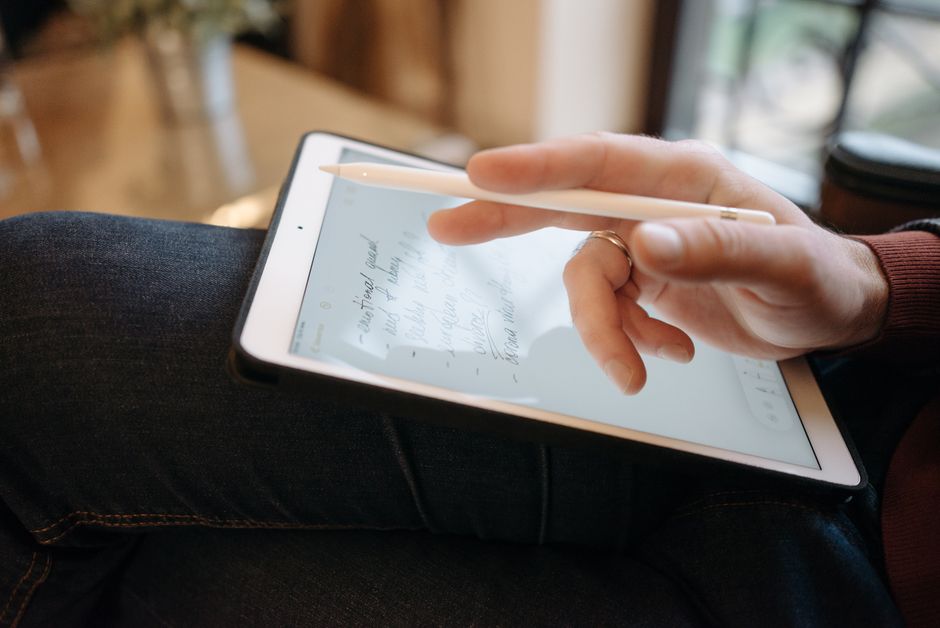
Apple’s iPads, paired with an Apple Pencil (1st or 2nd Gen, depending on the iPad model), offer perhaps the best digital note-taking experience. Apps like Goodnotes or Notability are incredibly feature-rich and intuitive. The Pencil’s low latency and pressure sensitivity make writing and sketching feel remarkably natural. Whether you’re a student in North America jotting down lecture notes or a professional annotating documents on the go in Europe, the iPad-Apple Pencil combo is a powerful tool.
Samsung S Pen and Other Android Stylus Options
Samsung’s Galaxy Tab S series comes with the S Pen included, which is a significant value proposition. The S Pen offers comparable features to the Apple Pencil, including pressure sensitivity and low latency, and Samsung’s own note-taking apps are quite capable. Many other Android tablets support third-party styluses, but often without the same level of integration or dedicated software optimization. Always verify the specific tablet and stylus compatibility and performance before buying.
3. Portability and Battery Life: Your Travel Essentials
When you’re constantly on the move, two factors rise to the top: how light and compact the device is, and how long it lasts away from a power outlet.
Enjoy Fresh Coffee Anywhere With Outin Portable Innovation
Size and Weight Considerations
Tablets come in various sizes, typically from 8 inches (like the iPad Mini or Samsung Galaxy Tab A8) to 13 inches (iPad Pro). Smaller tablets are excellent for one-handed reading on public transport or tucking into a small bag. Larger tablets offer more screen real estate for productivity and media consumption, but at the cost of increased weight and bulk. For international travel, especially if you’re minimizing luggage, a smaller, lighter tablet makes a noticeable difference. Consider how it fits into your everyday carry or backpack.
Endurance for the Long Haul
A tablet with poor battery life is useless on a long flight or during a day of sightseeing. Aim for devices that promise at least 10-12 hours of mixed-use battery life. E-readers, as mentioned, can last for weeks. For full-featured tablets, factors like screen brightness, Wi-Fi/cellular usage, and processor efficiency all play a role. When reviewing specs, look for milliamp-hour (mAh) ratings and manufacturer claims, but also check independent reviews for real-world usage figures. Being able to go a full day without worrying about finding a charger is a huge peace of mind for travelers.
4. Operating System: Apple’s iPadOS vs. Google’s Android
Your choice of operating system (OS) will dictate the apps you can use, the user interface, and how well the tablet integrates with your other devices.
Apple’s iPadOS: Refined and Powerful
iPadOS is known for its intuitive interface, solid app ecosystem, and strong security. It’s excellent for creative tasks, productivity, and offers seamless integration with other Apple devices. Many professional-grade apps are optimized specifically for iPad. The downside? iPads tend to be pricier, and the ecosystem is more closed, making it less flexible for some users who prefer open-source options or specific file management methods. Apple provides consistent software updates and strong long-term support.
Android: Flexibility and Variety
Android tablets, spearheaded by brands like Samsung, Lenovo, and Xiaomi, offer unparalleled variety in terms of price, features, and form factors. The open nature of Android provides greater customization and easier file management. Samsung’s DeX mode, for instance, allows many Galaxy Tabs to offer a desktop-like experience, which is great for productivity on the go. However, the Android tablet app ecosystem isn’t always as optimized as iPadOS, and software update consistency can vary widely between manufacturers. For budget-conscious users or those already invested in the Google ecosystem, an Android tablet is a compelling choice.
5. Connectivity, Storage, and Security
These practical considerations often get overlooked but are vital for a functional travel and productivity device.
Wi-Fi vs. Cellular (LTE/5G)
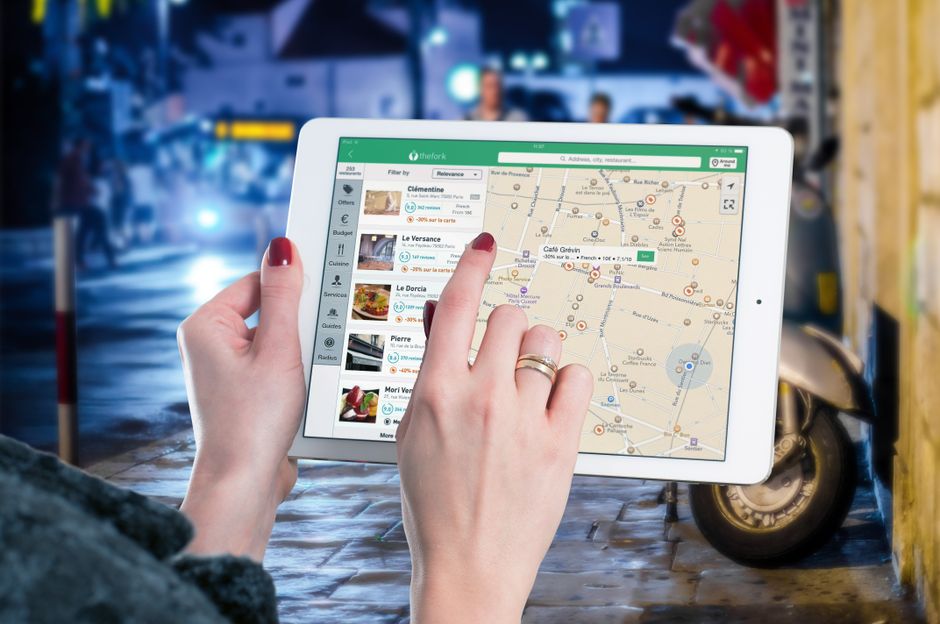
A Wi-Fi-only tablet is cheaper, but you’ll always need a hotspot or Wi-Fi network for internet access. A cellular model (LTE or 5G) provides freedom to connect almost anywhere, using a physical SIM card or eSIM. This can be invaluable for navigation, checking emails, or staying connected during travels, especially when Wi-Fi is unreliable or unavailable, such as in rural areas of South America or while commuting in a European city. Factor in the cost of a data plan if you opt for cellular.
Storage: How Much Do You Really Need?
Tablet storage typically ranges from 32GB to 1TB+. For reading and light note-taking, 64GB is often sufficient. If you plan to download lots of movies, games, or high-resolution documents, aim for 128GB or more. Keep in mind that some Android tablets offer expandable storage via a microSD card slot, which is a cost-effective way to add capacity. iPads do not offer expandable storage, so choose wisely upfront.
Technology for Small Apartments: Devices That Earn Their Space
Security: Protecting Your Data
Your tablet will likely hold personal notes, documents, and maybe even financial information. Ensure it has solid security features like fingerprint scanners or facial recognition (Face ID on iPads, fingerprint on many Androids). Using a strong password manager is essential, regardless of your device choice. Many modern tablets offer built-in encryption and regular security updates. Always keep your OS updated to the latest version to patch vulnerabilities.
FAQ: Answering Your Tablet Buying Questions
Is a Samsung tablet good for reading and notes?
Yes, Samsung Galaxy Tab devices, especially the S-series, are excellent for reading and notes. They feature vibrant screens and the included S Pen offers precise input for handwriting, drawing, and annotating documents. The DeX mode also enhances productivity, making them versatile for various tasks.
Do I need a password manager for my tablet?
Absolutely. A password manager is crucial for tablets, just as it is for any other device. It helps you create and store strong, unique passwords for all your accounts, protecting your sensitive information from unauthorized access, especially important if your tablet is lost or stolen.
Which Apple iPad is best for travel?
The iPad Mini is often considered the best Apple iPad for travel due to its compact size and light weight, making it incredibly portable. For a balance of screen size and portability, the iPad Air is also a strong contender, offering more screen real estate without being overly bulky.
Are cheaper tablets good enough for just reading and light notes?
For just reading and light note-taking, many budget-friendly tablets, including some from Amazon Fire or basic Android models, can be perfectly adequate. However, they might lack stylus precision, have lower-resolution screens, or offer shorter battery life compared to premium options. Always check reviews specific to reading and note-taking performance.
What’s the difference between a tablet and an e-reader for reading?
An e-reader uses an E-Ink screen, which is designed to mimic paper, offering superior eye comfort and battery life for reading. A tablet uses an LCD or OLED screen, which is backlit, more versatile for apps, video, and color content, but can cause more eye strain over long reading sessions.
Key Takeaways: Your Smart Tablet Choice
Choosing the perfect tablet for reading, notes, and travel boils down to prioritizing your primary needs. For dedicated readers, a high-quality E-Ink e-reader might still be the best choice. For a blend of reading, versatile note-taking, and multimedia consumption on the go, a full-featured tablet like an Apple iPad or a Samsung Galaxy Tab is likely what you need.
Always consider the screen type and size for comfort and portability, the quality of stylus support for your note-taking needs, and exceptional battery life for those long journeys. Don’t forget about storage capacity and connectivity options like cellular data, which can make a huge difference in convenience when traveling across continents.
Ultimately, the best tablet is the one that fits smoothly into your lifestyle, whether you’re catching up on a novel, sketching ideas, or navigating new cities. By carefully weighing these factors, you’ll be able to choose a tablet for reading, notes, and travel that serves you well for years to come.
Read more practical technology guides on Vie En Mots.